How it works
From flat pattern to finished photo, in one window
DrapeXD has five workspaces, one for each part of making a garment. They share one file, so there is nothing to export between them: change a dart in Pattern Making and the drape, the finishing and the render follow.
DrapeXD · Updated
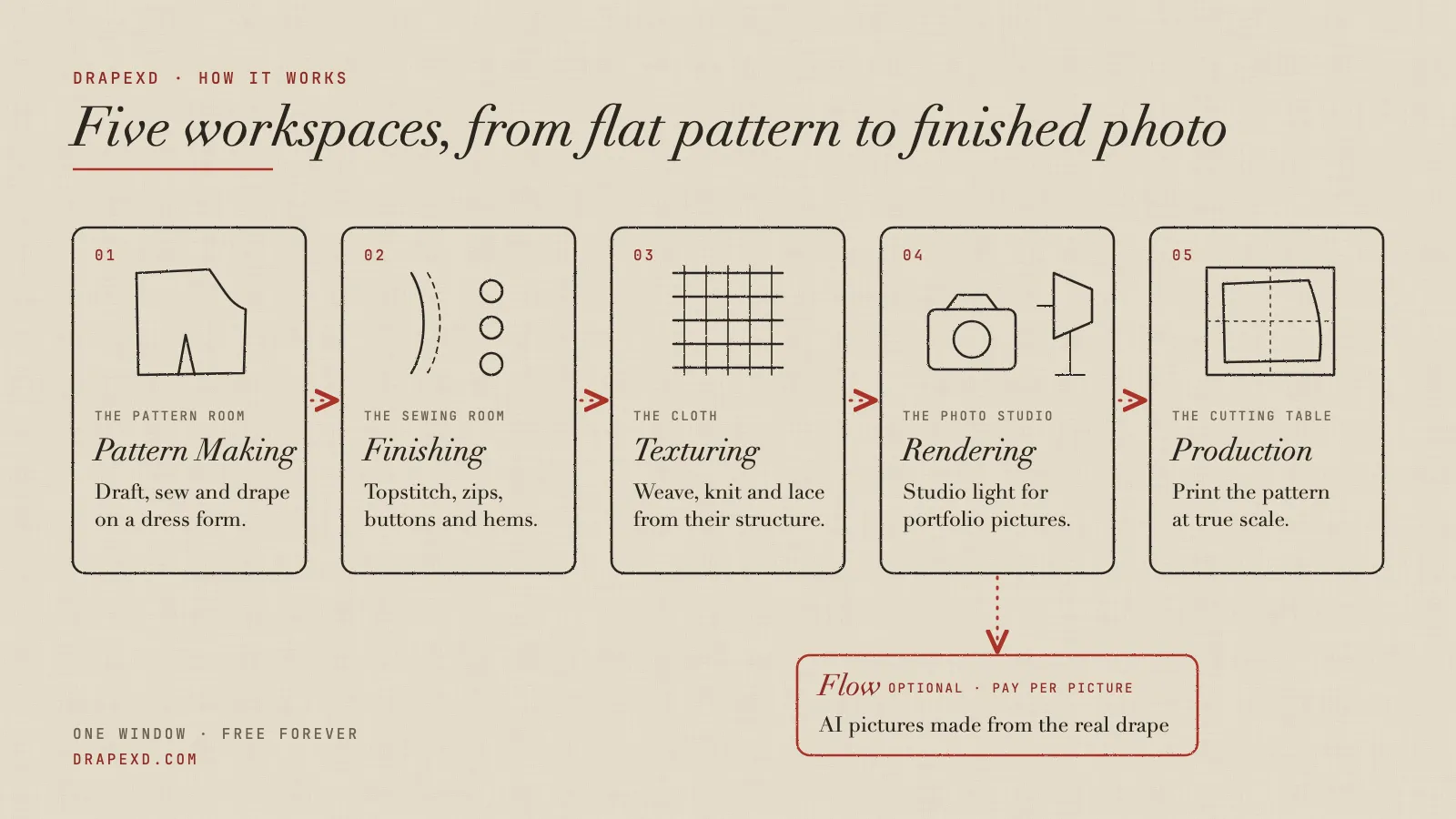
Pattern Making
Draft the flat pattern, sew the pieces together and drape the garment on a dress form in 3D.
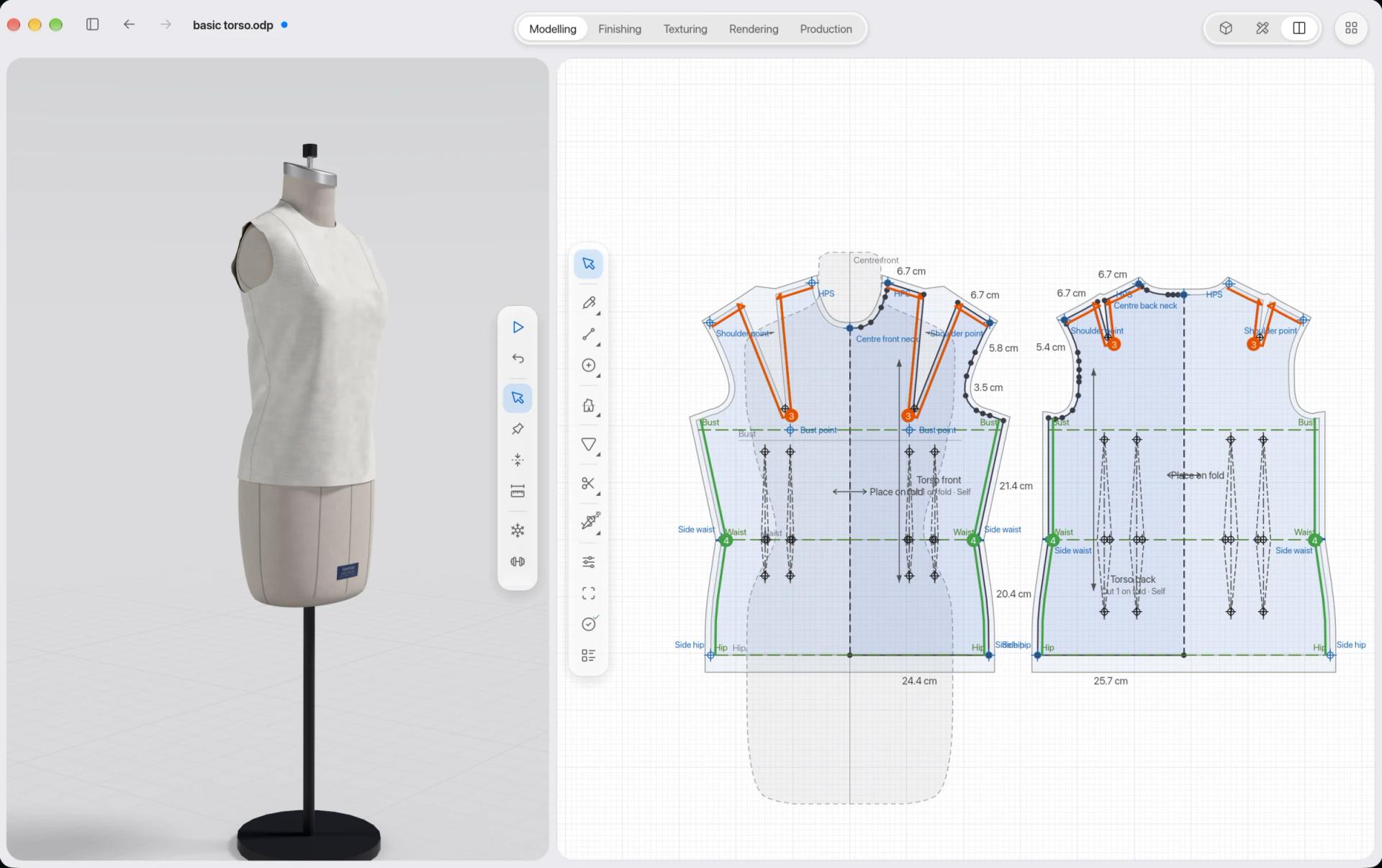
- Draft with points, lines and curves in centimetres or inches, or start from bodice, skirt, sleeve and trouser blocks
- Darts, fish-eye darts, pleats, gathers, seam allowance, notches and grain lines; cut, merge and spread pieces
- Sew edges together and drape on dress forms in standard sizes and poses, or on your own 3D object (OBJ, FBX, GLB, STL)
- Pin, freeze and layer garments, and check the fit with a fit map and a tape measure
All about Pattern Making · Watch the Pattern Making lesson · Guides: Sew, Dart, Drape, Fit map
Finishing
Add the details a sewing room adds: the stitching, closures and trims that make a garment look made.
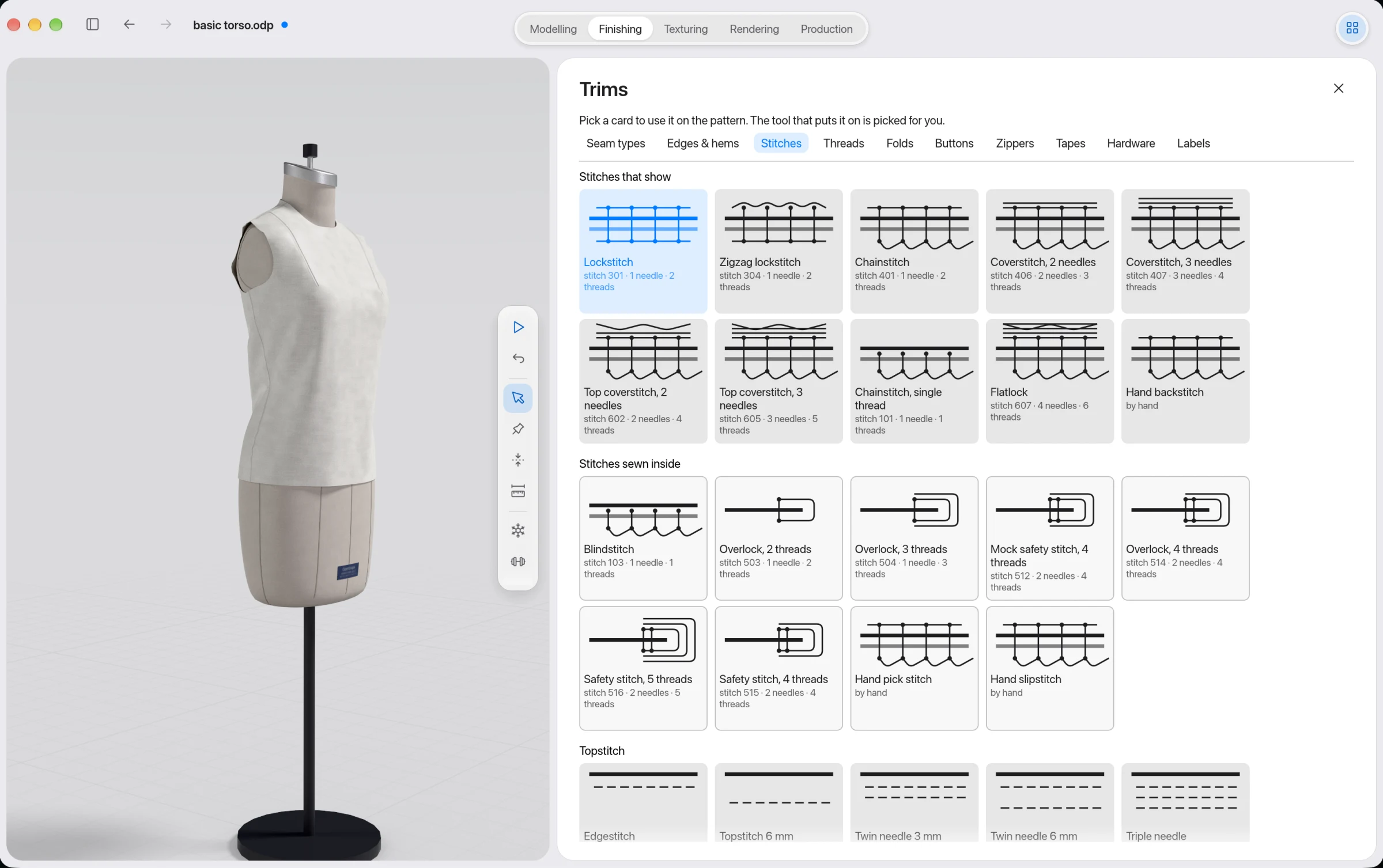
- Topstitching, seam types, hems and edge finishes
- Zips along a line of seams, buttons and buttonholes, snaps, rivets and eyelets
- Labels, tapes, trims, interfacing and boning
All about Finishing · Watch the Finishing lesson · Guides: Topstitch, Zip, Buttons
Texturing
Choose or make the cloth: its weave or knit, its yarns and colours, and any print or embroidery on it.
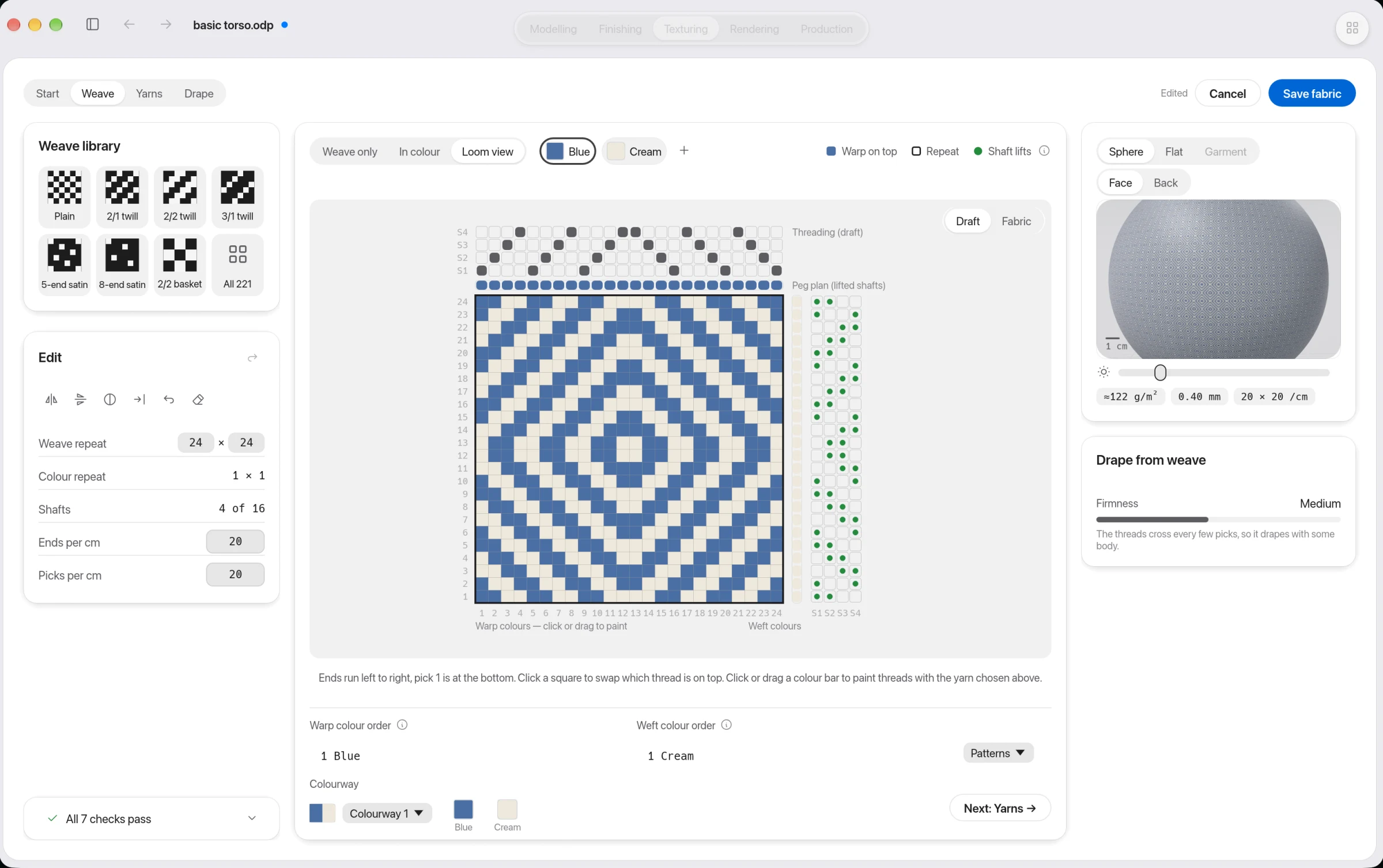
- Woven, knit and lace fabrics built from their real structure, not just a picture
- Your own fabrics from a weave draft, yarns and colours
- Prints, logos and graphics on a piece, and embroidery made from a picture
All about Texturing · Watch the Texturing lesson · Guides: Fabrics, Create a fabric, Embroidery
Rendering
Light the garment and save pictures of it, the way a photo studio would. Flow, inside Rendering, adds optional AI pictures.
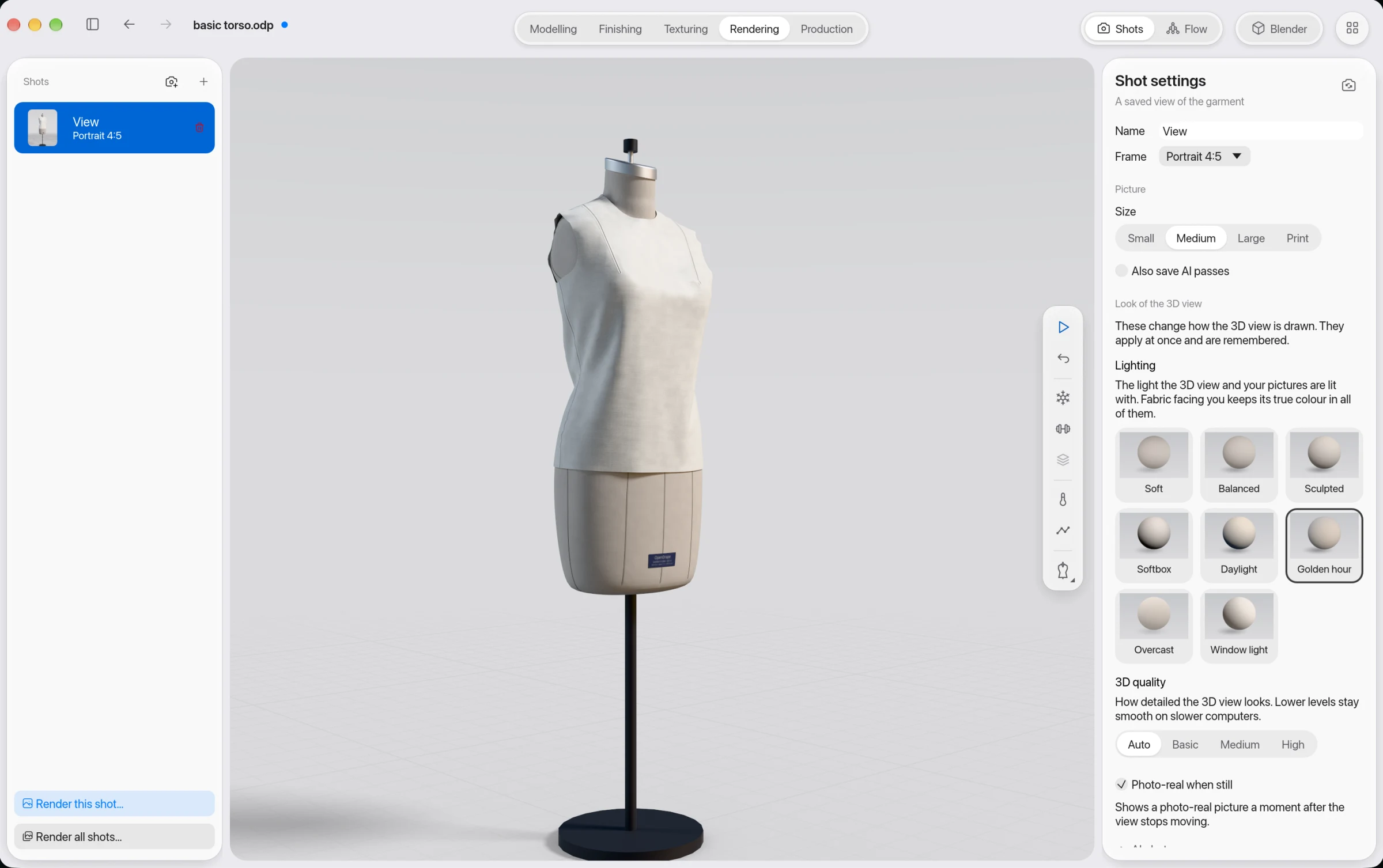
- Lighting presets, camera views and saved shots
- Studio renders for a portfolio or lookbook
- Flow (optional, pay per picture): turn a 3D shot or a sketch into a realistic photo, change the fabric or setting, or make a short clip
All about Rendering · Watch the Rendering lesson · Guides: Shots and pictures, AI pictures
Production
Get the pattern out of the computer and onto the cutting table.
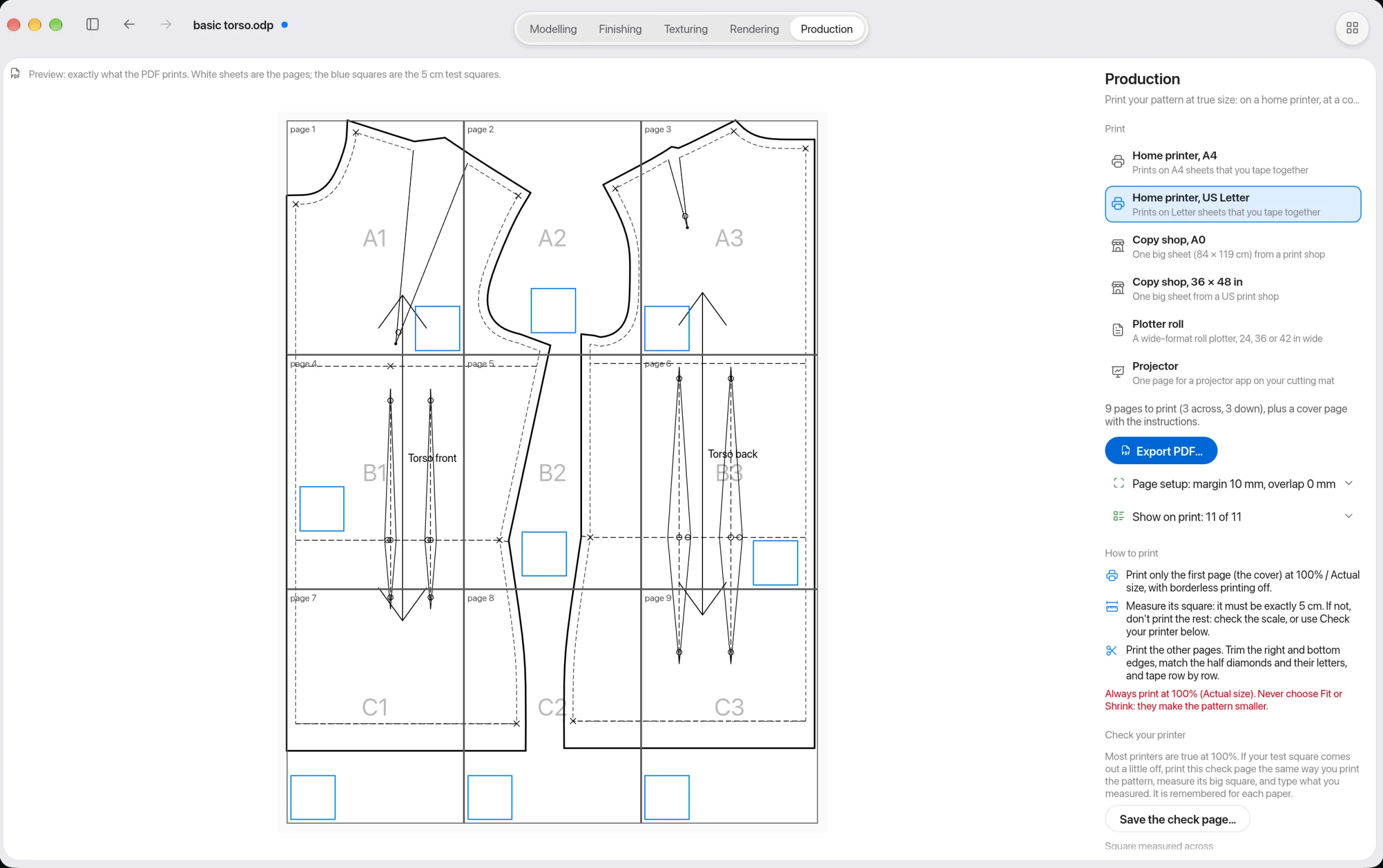
- Print the pattern at true size on a home printer, at a copy shop, on a plotter or for a projector
- Export DXF for cutters and other pattern software
All about Production · Watch the Production lesson · Guides: Print the pattern
More on each part
Sewing and draping · Bringing patterns in · AI pictures · Sending a garment to Blender
Built for the laptop you already have
DrapeXD does not need a separate graphics card. It runs on Macs with Apple silicon or Intel and on Windows 10 and 11 PCs, using the graphics built into the processor. See the system requirements.